
The Nodalis-Compiler npm package can be installed globally for use from a terminal. Here, we provide an explanation of each command line argument and action for the compiler.
--help
Lists the command line arguments and explanations of each.
nodalis --help
--action get-toolchains
Downloads the compiler toolchains for the host computer for all of the targets.
nodalis --action get-toolchains
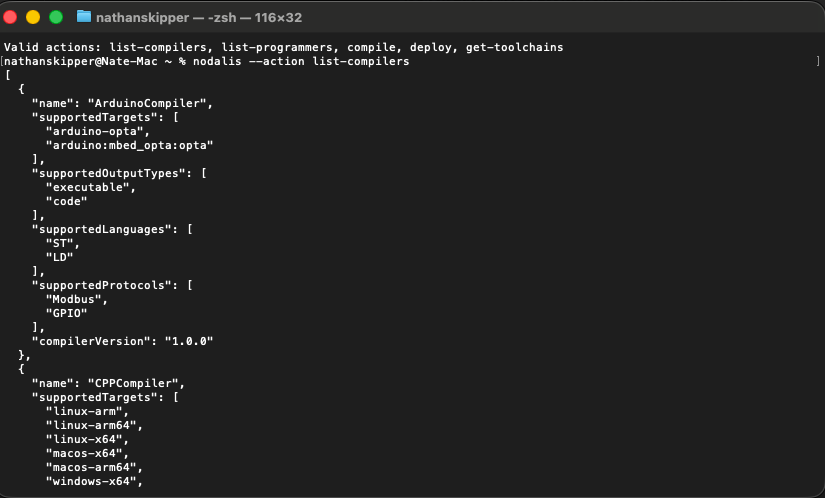
--action list-compilers
Lists the available compilers with their available targets and output types.
nodalis --action list-compilers
--action list-programmers
Lists the available programmers with their targets and required additional parameters.
nodalis --action list-programmers
--action compile
Compiles an IEC or ST file or folder to a specified target and output type. This action expects the following additional arguments:
· --target [name] - Specifies the target compiled deliverable, given by [name]. The available targets are shown when you run the “list-compilers” action.
· --outputType [output] - Specifies the output type designated by [output]. This is typically either “code” or “executable”, but it can be compiler specific. Again, reference list-compilers for all options.
· --sourcePath [path] - Specifies the folder or file to compile. If the file provided is a Structured Text (st) file, the compiler will transpile this code into an intermediate language like C++ or Javascript before compiling. If the source is an IEC File (.iec), the “resourceName” argument should also be specified. In this case, the source will be transpiled to structured text, then to the intermediate language, and finally to an executable (if that is the output type). If [path] is a folder, the compiler will assume that the folder contains a set of structured text files. It will load all of these files, combine them, transpile the combined file into an intermediate language, and then to an executable. In this case, the “resourceName” argument must provide the file name (without extention) of the structured text file that contains the program to run.
· --language [c] - Specifies the language to compile. Currently, compilers support “ST” and “LD”, where “LD” is contained within a “.iec” file.
· --outputPath [path] - Specifies the folder into which the output should be stored. If the output type is executable, the deliverables of the compilation will be stored in a “bin” folder within the [path], while the transpiled source code will be stored in the [path].
· --resourceName [r] - Designates the resource name to compile. In the case of an IEC file (.iec), this specifies the name of the resource that defines the tasks, program instances, and global variables to compile. When compiling a folder containing multiple ST files, this specifies the file containing the program to run.
nodalis --action compile --target linux-arm --outputType executable --language ld --sourcePath ./conveyor.iec --outputPath ./publish --resourceName Conveyor
--action deploy
Programs a device or prepares a runtime package to install on a device. The list of available programmers can be found using the list-programmers action. There are additional arguments required for deploy:
· --target [t] - Specifies the target programmer, given by the list-programmers properties.
· --source [s] - The folder in which the binaries are contained.
· --destination [d] - The location to deliver the binaries. This is programmer specific. It may specify the serial port on which to program, the file path to which the binaries should be copied, or the IP address of the target device.
· Additional arguments may be needed for the specific target. See the “--help” argument for those optional arguments.
nodalis --action deploy --target SSH --source ./project/bin --destination 192.168.5.10 --username admin --password admin